Best Platforms for Art Gallery Advertising (2026)
Last updated: November 17, 2026
Compare Meta, Google, Pinterest, marketplaces, newsletters, and local ads for galleries, plus how to make ad creatives without a videographer.
Posted by
 Sebastian Kluger
Related reading
What Makes a Good Artist Portfolio in 2026 (Checklist)
What makes a good artist portfolio: room context, embedded cinematic video, mobile + web layout, and a clear CTA. Build in ~1 minute with MOCKLIO AI or templates.
How Artists Run Promotional Campaigns Without a Marketing Team (2026)
Run art promotional campaigns solo: calendar, stills, Reels, captions, portfolio CTAs. The 2026 stack that replaces a marketing team for indie artists.
Etsy's October 2026 Photo Rules: Can You Still Use Art Mockups? | MOCKLIO
Etsy's Oct 22, 2026 listing photo rules: keep one unedited photo of the actual print, then use accurate room mockups for the rest. We make MOCKLIO.
Short answer: Most galleries should start with Meta (Instagram and Facebook) ads pointed at a specific work or show, add Google Search for people already looking for art, and use newsletters to monetise the collectors you already know. Pinterest, art marketplaces, and local out-of-home are useful second-wave channels. Across all of them, the creative decides the result: a flat JPEG gets scrolled past, a work hung in a believable room with a short cinematic reel does not. Budget small, test one thing at a time, and judge every campaign by the conversations it starts, not by clicks.
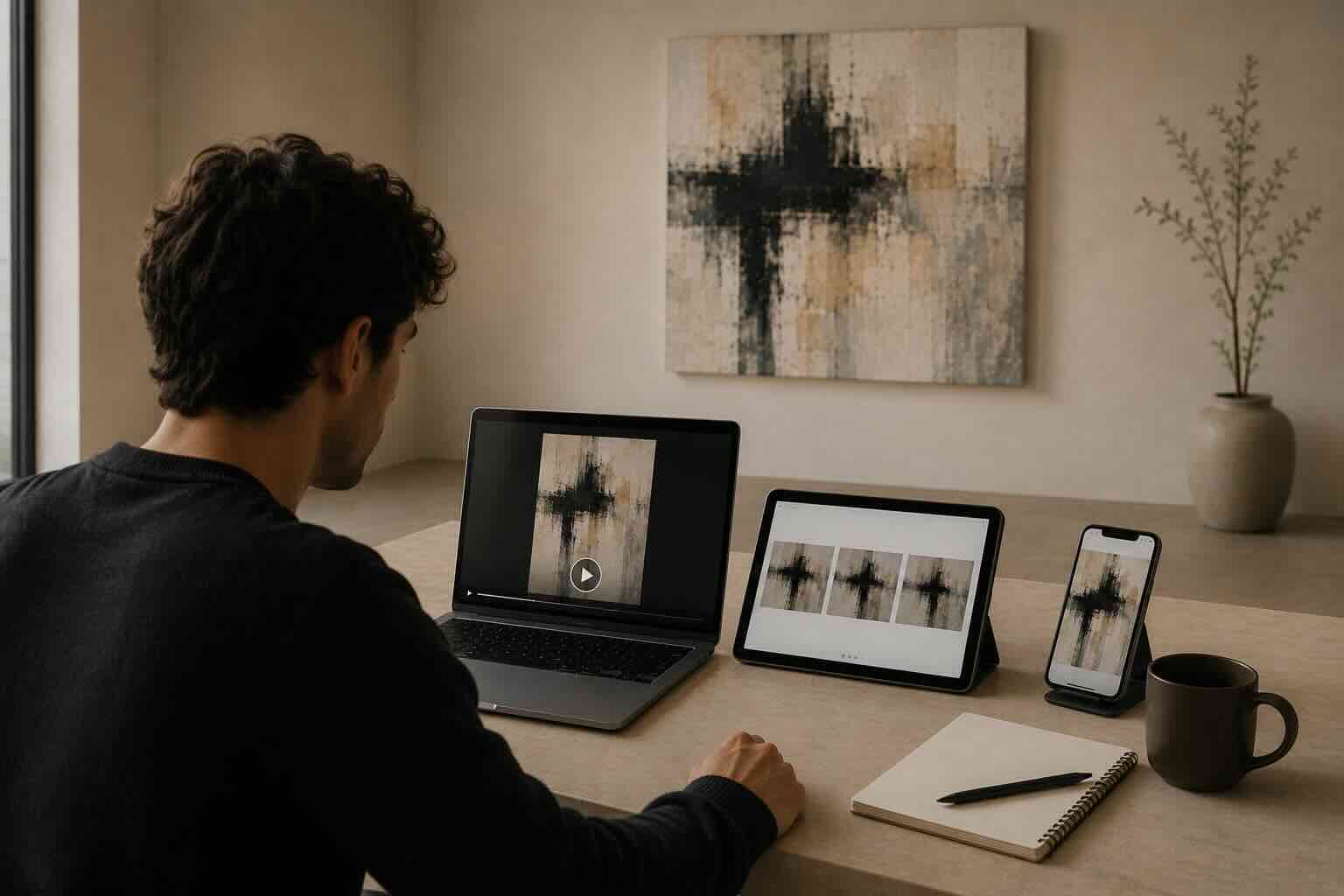
Table of Contents
- I. Pick the job before you pick the platform
- II. Platform comparison table
- III. Meta ads (Instagram and Facebook)
- IV. Google Ads
- V. Pinterest ads
- VI. Art marketplaces and listing platforms
- VII. Newsletters and email
- VIII. Local and out-of-home
- IX. Ad creatives galleries can make without a videographer
- X. Ad copy that sounds like a gallery
- XI. Budget testing without guessing
- XII. Creative fatigue and how to refresh
- XIII. Landing pages that turn clicks into inquiries
- XIV. Measurement: what to track for each job
- XV. A simple test plan
- FAQ
- Key Takeaways
- Conclusion
I. Pick the Job Before You Pick the Platform
Decide what the campaign is for before you choose where to run it. "Where should we advertise?" is the wrong first question, because galleries run ads for four different jobs, and each one favours different platforms:
- Fill the room: get local people to an opening or viewing. Local, Meta, and out-of-home.
- Sell a specific work: move a named piece to a collector who has never heard of you. Meta, Google, marketplaces.
- Capture existing demand: be present when someone searches for an artist, a style, or your gallery name. Google Search.
- Grow the collector list: turn cold attention into email addresses you can sell to for years. Meta lead flows, Pinterest, newsletters.
Write the job on a sticky note before you open any ad manager. If you cannot say whether this campaign is for footfall, a sale, or a list, you will not know whether it worked.
What success looks like for each job
Each job has a different finish line, and it is almost never a click. For footfall, success is named people at the opening or viewings booked. For a sale, it is a real inquiry about a specific work, ideally with a question about size, framing, or shipping. For captured demand, it is a searcher who lands on the right artist page and gets in touch. For list growth, it is a verified email address from someone who actually wants previews.
Before you spend anything: a short checklist
- One job written down for this campaign.
- One work, artist, or show as the subject, not "the gallery" in general.
- A page on your site for that subject, with dimensions, availability, and an inquiry route.
- A named person who will answer inquiries within a working day.
- At least three versions of the visual: a reel, a still, and a carousel.
- A budget you can afford to spend entirely on learning.
If any line is missing, fix that first. Most disappointing gallery campaigns fail on the checklist, not on the platform.
II. Platform Comparison Table
Use the table to shortlist one or two channels for your current job, not to run all six at once. Budget levels are relative to each other, not price quotes. Costs vary by country, audience, and season, so check current rates in each platform before committing spend.
| Platform | Best for | Budget level | Creative format |
|---|---|---|---|
| Meta ads (Instagram + Facebook) | Reaching new collectors by interest and location; promoting a show or a hero work; retargeting site visitors | Low to medium; easy to start small | 9:16 reels, 4:5 stills, carousels |
| Google Ads | Capturing people already searching for an artist, style, or your gallery name; local "gallery near me" intent | Medium; competitive keywords get expensive | Search text ads, image and video assets, YouTube video |
| Pinterest ads | Home-decor and interiors browsers planning a purchase; longer-lived discovery | Low to medium | Vertical pins, short video, room-scene stills |
| Art marketplaces | Borrowed collector traffic; testing price points and styles; works under a certain price | Varies; often fees or commission rather than ad spend | Listing images, sometimes video; follow each site's specs |
| Newsletters (your own list and sponsored slots) | Selling to people who already know you; new-arrival and preview announcements | Low for your own list; varies for sponsored slots | Hero still or reel thumbnail, short copy, one link |
| Local and out-of-home | Openings, fairs, and building neighbourhood awareness | Medium to high depending on format | Large-format stills, posters, window and venue screens |
Notice the last column. Every row needs a different shape of the same visual: a vertical reel here, a still there, a poster-ready image somewhere else. That is a production problem as much as a media-buying problem, which is why section IX exists.
III. Meta Ads (Instagram and Facebook)
Meta is the default first channel for most galleries because your audience is already on Instagram, the targeting covers location and interests, and you can run the same creative as an organic post first, then put spend behind whatever earns saves and replies.
Use it for three things. First, promote a single hero work or show to a tight local and interest-based audience. Second, retarget people who have visited your site or watched your reel. Third, run a simple lead flow that trades a private-preview list for an email address. Keep the landing page specific: the exact work or show, not your home page.
Audiences: local, interest, and retargeting
Think in three layers. The local layer is people within reach of the gallery, ideal for openings and viewings. The interest layer is people who follow related artists, institutions, fairs, and publications, which suits selling a hero work to people who have not met you. The retargeting layer is people who have already watched your reel or visited an object page, which is usually your warmest paid audience.
Start with the layer that matches your job. For footfall, go local. For a sale, try interest first, then add retargeting once there is traffic to retarget. Avoid building audiences so narrow that the ad cannot be delivered. If the platform warns that your audience is small, widen the location or loosen the interests rather than adding more rules.
Creative and placements
Meta shows ads in Reels, Stories, and the feed, and each placement crops the frame differently. Design for 9:16 first, check that the key part of the work survives a 4:5 crop, and keep text out of the top and bottom edges where the interface sits. A vertical room reel covers Reels and Stories, and a room still covers the feed. A carousel works well for retargeting because it can walk a visitor through details, room context, and the price or inquiry line.
A lead flow for private previews
A lead flow is the simplest way to grow a collector list from cold attention. Offer something specific: "Get the private preview before the public release" works better than "Subscribe to our newsletter". Ask only for what you need, usually a name and an email address. Then actually send the preview. A list that gets a real first email within days stays warm; a list that hears nothing for months forgets why it signed up.
Meta pitfalls to avoid
- Boosting a post is not a campaign. Build ads in Ads Manager with a defined objective, a named audience, and one clear call to action such as "view the work" or "request the checklist".
- Do not change several things at once. If you swap the audience, the creative, and the caption together, you cannot tell what helped.
IV. Google Ads
Google is where intent lives, so use it to catch people who already want something you have. Someone typing an artist's name, a movement, or "buy large abstract painting" is closer to a decision than someone scrolling a feed. Search ads work best for brand terms (your gallery name, your artists' names), local queries, and a short list of high-intent product terms you are prepared to answer with a real inventory page.
Brand and artist-name searches
Start with the searches only you can answer. When someone looks up your gallery or one of your represented artists, you want your own page above marketplaces and resellers. These searches tend to be cheaper to cover than broad terms because the match is obvious, and they protect work you are already known for. Check what currently appears when you search your artists by name before deciding how much to bid.
Local "gallery near me" intent
Local searches suit visits and openings. Keep your hours, address, and current exhibition accurate everywhere Google reads them, and say what is on right now: "New exhibition, open this weekend" beats "Contemporary art gallery".
High-intent product terms
Keep this list short and honest. Pick a handful of phrases that match what you actually sell, such as a medium, a size band, or a style, and send each to a page that answers it. Use negative keywords to filter out searches you cannot serve, for example free downloads or supplies. Review the search terms report regularly, because it shows what people really typed, and it often reveals both wasted spend and ideas for new pages.
Video assets and YouTube placements are also available, so a cinematic room reel can do double duty. Keep the first seconds clear enough to work with sound off.
Landing page check before paying for clicks
If your website cannot show availability, dimensions, and an inquiry route in two clicks, fix that before paying for traffic. Google sends the click; your object page has to earn the inquiry. Before you switch a campaign on, open the destination on your phone and check:
- The artwork is visible without scrolling.
- Title, medium, dimensions, and availability are easy to find.
- The inquiry route is one tap or one short form.
- The page loads quickly on a mobile connection.
- The wording matches the ad, so the visitor feels they landed in the right place.
V. Pinterest Ads
Pinterest suits galleries whose work is easy to imagine at home. Users are often planning a room, which makes it a natural home for art that is shown in interiors. Pins stay discoverable for longer than a feed post, so a pin that works keeps working. It suits galleries with approachable price points, prints, and editions more than a blue-chip secondary market.
What suits Pinterest and what does not
Good fits: prints, editions, works with a clear palette, and anything that photographs well in a styled interior. Weaker fits: conceptual work that needs a wall text to make sense, and high-value pieces sold only by private conversation. If you cannot imagine your work saved to a board called "living room ideas", test another channel first.
Pin creative: lead with the room
Lead with the room, not the white-background catalogue image. The creative that fits the platform is the same photoreal interior you would use anywhere else, in a vertical shape. Include a few readable words in the image or description, such as the style and the medium, because people search Pinterest the way they search a catalogue. Make several pins for one work: one room per pin, one palette per pin.
Keywords, boards, and patience
Pinterest is closer to search than to a social feed. Write descriptions the way a collector would describe the wish: the colour, the room, the size, the style. Group pins into boards that match those wishes. Expect a slower start than Meta. Judge Pinterest over a longer window, and measure it by the people who reach your object pages and sign up for previews, not by saves alone.
For the organic side of the platform see how to sell art on Pinterest.
VI. Art Marketplaces and Listing Platforms
Treat marketplaces as rented audience and a way to test demand, not as your main channel. Platforms such as Artsy, Saatchi Art, and similar sites are less "advertising" and more borrowed traffic: you list work and pay in fees or commission, and in some cases for promotion. They can test whether a style or price band attracts buyers before you spend your own ad budget.
The trade-off is control. The marketplace owns the relationship and the traffic, and your listing sits next to everyone else's. Terms, commissions, and promotion options change, so confirm the current rules on each platform before you rely on them. Use marketplaces to find demand, then move the collector to your own list and website.
A practical use: list a small set of works across a few price bands, note which get saved, shared, or asked about, and let that guide what you promote on Meta and Google. Keep the images consistent with your own site, so a collector who finds you in two places sees the same work, the same title, and the same dimensions.
VII. Newsletters and Email
Your own list is the cheapest channel you have and usually the warmest, so use it before you pay to reach strangers. Send a private preview before the public Instagram post, one hero image or reel thumbnail, three short work blocks, and one reply path. The full release sequence is in how galleries market new arrivals online.
Sponsored placements in art-world newsletters are a separate, paid option: useful for reaching an established readership, but ask for audience description and past placement formats rather than trusting a headline subscriber number.
VIII. Local and Out-of-Home
Use posters, windows, and venue screens to support openings and fairs, not to carry your sales. Posters, window displays, venue screens, and signage still do things a feed cannot: they reach a neighbourhood, and they signal that the gallery physically exists.
One practical tip: print-scale creative needs a clean, high-resolution source. Start from the approved artwork file and a high-quality room still rather than a compressed social export. Tie each piece to a single URL or QR code so you can see which placements get used.
IX. Ad Creatives Galleries Can Make Without a Videographer
You can make the repeating ad assets yourself from the approved artwork file, and keep the camera for what only a camera can do. The recurring bottleneck is not budget, it is creative. A paid campaign needs several versions of the same work: a vertical video, a square or 4:5 still, a landscape cut for Google or a venue screen, and fresh variants when fatigue sets in. Commissioning a film crew for each hero work does not scale across a rotating inventory.
MOCKLIO builds those assets from the approved artwork image. You upload the file, pick a photoreal room that suits the scale and palette, and export room stills plus a cinematic reel: 10 seconds at 30fps, with an optional 12.5 second 24fps remap, in 9:16 or 16:9. The artwork is composited into the scene, not regenerated, so the work in the ad is the work on the wall. The content pack also includes carousel slides and captions you can adapt for ad copy. Batch up to 100 files at once for a larger release.
Use it for the assets that repeat: hero reel, two or three room stills, a carousel for retargeting. Keep a camera for what only a camera can do: opening-night energy, artist portraits, and installation documentation. That split is covered in gallery Instagram content without a videographer. Do not label a generated room as an installation photo; say it is a visualisation where context matters.
The asset set for one work
For each hero work or show, aim for a small, repeatable set:
- One vertical room reel for Meta Reels and Stories, and for Pinterest or Shorts-style placements.
- Two or three room stills in different rooms, cropped for 4:5 and for a pin.
- One carousel: details, room context, dimensions, inquiry line.
- One landscape cut for Google video assets or a venue screen.
- The original flat image and detail photos for the landing page.
Where to go next for gallery ad creative
For the ad-ready product page and what the output includes, see gallery advertising video. For the workflow side, see art gallery content ops, and for collector-facing decks, see gallery collector presentation. If you are planning the video format itself, read short-form video ads for artists for hooks, structure, and scripts you can adapt to gallery work. Plans for catalogue volume: Atelier at $179/mo (25 videos) or Gallery at $299/mo (50 videos, unlimited stills). Confirm current limits on pricing.
X. Ad Copy That Sounds Like a Gallery
Good gallery ad copy states what the work is, where it is, and what to do next, in plain words. It does not shout. Collectors read an overexcited ad as a discount seller, and an over-academic ad as a wall of text they will not finish. Aim for the voice you would use if a visitor walked in and asked about the piece.
A simple copy formula
- Name the work: artist, title, medium.
- Give the useful fact: dimensions, edition, or what makes this piece different.
- Offer one next step: view the work, request the price list, book a viewing.
Example shape: "[Artist], [Title]. [Medium], [dimensions]. Available now at [Gallery]. Request the price list." Replace the brackets with true details and nothing more.
Write two headline options and two call-to-action options per creative, then test them one at a time as described in the next section.
XI. Budget Testing Without Guessing
Treat your first budget as the price of learning, and set it as a fixed amount you are comfortable spending in full. There is no universal right number, and any article quoting a guaranteed return for gallery ads is guessing. What you can control is how cleanly you test, so each pound, dollar, or euro teaches you something.
Set a ceiling, then split it
Decide the total you will spend on this test and the number of days it will run. Divide it evenly between your creatives, so the reel, the still, and the carousel each get a fair chance. If one creative gets most of the budget just because the platform favours it, you may never learn whether the others would have produced inquiries. Where the platform allows, give each ad its own limit.
Change one thing at a time
Pick one variable per test: the creative, the audience, the headline, or the call to action. Keep everything else the same. If you test reel against still with the same audience and landing page, you learn which format works for this work. If you also change the audience, you learn nothing reliable.
Give the test a fair window
Small budgets deliver slowly, so judge over days, not hours. As a rule of thumb, let a small test run for at least a week or two before cutting it, unless something is clearly broken, such as a dead link or a disapproved ad. Early numbers swing wildly. Wait until you have seen a few real conversations, or the absence of them, before you decide.
Decide what you will do with each outcome
Before the test starts, write the rule for what happens next. For example: if a creative produces inquiries, keep it and move a little more budget behind it. If it produces clicks but no inquiries, check the landing page before blaming the ad. If it produces neither, replace it with a new variant. Writing the rule in advance stops you from keeping a weak ad alive because you like the picture.
XII. Creative Fatigue and How to Refresh
Creative fatigue is what happens when the same people see the same ad too many times and stop responding. Plan for it from day one: keep new variants ready before the first one tires. A gallery with a small local audience will see fatigue sooner than one with a broad reach, because the same collectors see the ad again and again.
Signs an ad is tiring
- Engagement and click-through drift down compared with the first days of the same ad.
- The platform shows the same ad to the same people more often, and comments turn from interested to indifferent.
- Inquiries slow even though spend and audience have not changed.
Compare an ad with its own earlier performance, not with someone else's benchmark. You are looking for a trend in your account.
Refresh without starting over
You rarely need a new campaign. You need a new face on the same offer. Keep the audience, landing page, and goal. Change the part people see:
- Show the same work in a different room, with a different palette or light.
- Swap the first two seconds of the reel for a different opening frame.
- Turn the reel into a carousel or the carousel into a still.
- Rewrite the headline around a different detail: the medium, the scale, the story.
- Switch the call to action: "view the work" to "request the price list".
Retire ads you no longer have the right to run. A sold work, a closed show, or an expired offer should come down the same day.
XIII. Landing Pages That Turn Clicks Into Inquiries
Send every ad to a page built for that one work or show, because the click is only half the job. A collector who clicks an ad about one painting and lands on a general home page has to start searching again, and most will not. The object page should answer the questions a visitor would ask in the room.
What an object page needs
- A clear image of the work, plus one or two room views for scale.
- Artist, title, year, medium, and dimensions.
- Availability, stated honestly.
- Price or a clear route to the price list, consistent with how your gallery works.
- One inquiry route, easy to find, with a human reply.
- A short paragraph on the work or artist, in plain language.
Answer fast and keep the thread
Speed matters because a collector who inquired this morning is comparing options this afternoon. Reply within a working day, send the room views and dimensions again if useful, and offer a viewing or a call. Note which ad each inquiry came from, even if only by asking "how did you find us?". That single question closes the gap between ad reports and real conversations.
XIV. Measurement: What to Track for Each Job
Track the outcome that matches the job, and treat everything else as a diagnostic. Clicks and reach tell you whether an ad was seen; inquiries and viewings tell you whether it worked. You do not need complicated reporting. A simple sheet with one row per campaign is enough.
Match the metric to the job
- Fill the room: bookings, RSVPs, and people who say they came because of the ad.
- Sell a specific work: inquiries about that work, price-list requests, and viewings booked.
- Capture existing demand: inquiries from search visitors, and which search terms brought them.
- Grow the collector list: verified sign-ups, and how many open and reply to the first preview.
Diagnostics, not goals
Use clicks, saves, shares, and watch time as clues when the main number is weak. Lots of views and few inquiries usually points to the offer or the landing page. Few views and few clicks usually points to the creative. Good clicks and weak inquiries point to the object page. Read the pattern, then fix one thing.
XV. A Simple Test Plan
Run one small, clean test on one work or show, and let the result decide your next step. The steps below fit most galleries, and the four-week outline after them shows how to space the work.
- Pick one work or show and one job (footfall, sale, or list).
- Build three creatives from the same file: a reel, a room still, and a carousel.
- Post them organically first. Put modest spend behind the one that earns saves, shares, or direct replies.
- Send every ad to a dedicated object or show page with dimensions, availability, and one inquiry route.
- Track inquiries and viewings, not just clicks. Cut what does not produce conversations after a fair test window.
- Add a second platform only after the first one has a repeatable result.
A four-week outline
- Week 1, prepare: choose the job and subject, build the object page, make the reel, stills, and carousel, and write two headlines.
- Week 2, organic: post the three creatives and note which earns saves and replies. Send the private preview to your list.
- Week 3, paid test: put your fixed budget behind the best creative or two on one platform. Answer every inquiry the same day.
- Week 4, review: log the outcomes, write the lesson, retire the weakest ad, and make one refreshed variant of the strongest.
Then repeat on the next work, using what you learned. For a wider look at tools around a show, read best tools to promote contemporary art exhibitions online.
Related Guides
FAQ
What is the best platform for art gallery advertising?
For most galleries, Meta (Instagram and Facebook) is the best first channel because it combines visual formats, local and interest targeting, and retargeting. Add Google Search for people already looking for an artist or gallery, and use newsletters for your existing collectors.
Should a small gallery advertise on Google or Instagram first?
Start on Instagram and Facebook if you need to create awareness for a show or a hero work. Start on Google if you already have name recognition and want to capture searches for your artists or gallery. Many galleries run a small amount of both once their object pages are ready.
What kind of creative works best for gallery ads?
Show the work in context. A photoreal room that gives scale, plus a short vertical reel, usually communicates more than a flat catalogue image. Keep the flat image and details on the landing page as the factual reference.
Can galleries make ad videos without hiring a videographer?
Yes, for catalogue work. Upload the approved artwork image to MOCKLIO, choose a room, and export a cinematic reel and room stills. Use a camera for openings, people, and installation documentation, which cannot be reconstructed from a file.
How should a gallery measure whether ads work?
Track the outcome that matches the job: viewings booked, checklist requests, inquiries, or email sign-ups. Clicks and reach alone do not tell you whether a collector conversation started.
How much should a gallery spend to test ads?
Set a fixed amount you are comfortable spending entirely on learning, and split it evenly across your creatives. There is no universal right number, because costs and results differ by country, audience, and season. Run the test for a fair window, judge it by inquiries and viewings, and only increase spend behind creative that has produced real conversations.
What is creative fatigue in gallery ads?
Creative fatigue is when the same audience sees the same ad so often that engagement and inquiries drop. For a gallery with a small local audience it can happen quickly. Refresh by showing the same work in a new room, changing the opening frame, rewriting the headline, or switching the call to action, while keeping the audience and landing page.
Where can I learn how to plan the video side of gallery ads?
Read short-form video ads for artists for hooks, a four-beat structure, and example scripts, and see gallery advertising video for what MOCKLIO produces for gallery campaigns.
Key Takeaways
- Choose the job first: footfall, a sale, captured demand, or list growth.
- Meta is the usual first channel; Google captures intent; newsletters monetise your own list.
- Marketplaces rent you an audience. Move buyers to your own list and site.
- Every platform needs a different cut of the same visual, so make a repeatable asset set.
- Set a fixed test budget, change one thing at a time, and give the test a fair window.
- Plan for creative fatigue: keep refreshed variants of the same work ready.
- Send every ad to a specific object page and reply to inquiries fast.
- Judge campaigns by inquiries and viewings, not clicks or reach.
- MOCKLIO covers the catalogue creative; keep a camera for openings and people.
Conclusion
Gallery advertising is mostly a creative-throughput problem wrapped in a media-buying problem. Pick one job, start on the platform that matches it, and produce reels, stills, and carousels from the same approved artwork files so every test has fresh material. Keep the budget small, the tests clean, and the landing page specific, and let real collector conversations tell you what to do next.
Try Mocklio for your gallery or see MOCKLIO for galleries. Need more volume? Contact us at contact@mockl.io.
- MOCKLIO Team