How Galleries Market New Arrivals Online in 2026
Last updated: September 13, 2026
How art galleries market new arrivals online: inventory photos, MOCKLIO mockups and cinematic reels, collector email preview, Instagram schedule, and website sync.
Posted by
 Basti
BastiRelated reading
How to Make an Art Carousel Without Canva
Build an Instagram art carousel from the same room scene as your Reel. No Canva templates. MOCKLIO auto-builds slides and writes the caption.
How to Batch Create Art Content for a Drop
Drop a whole series at once: upload up to 50 artworks, let AI pick a room for each piece, then ship Reels, carousels, and captions together.
Instagram Captions That Sell Art (With Examples)
Captions that sell art name size, room, and where to buy. MOCKLIO writes a Reel caption and a carousel caption for the piece, ready to paste.
Short answer: Market new arrivals as a seven-day release, not a row of JPEGs. Photograph each work, generate photoreal hangs and cinematic reels (especially 80cm+), send a collector email with a viewing-room pack, update the object pages, then run Instagram and a fair or press kit from the same files. MOCKLIO is the visual production layer, not the CRM.
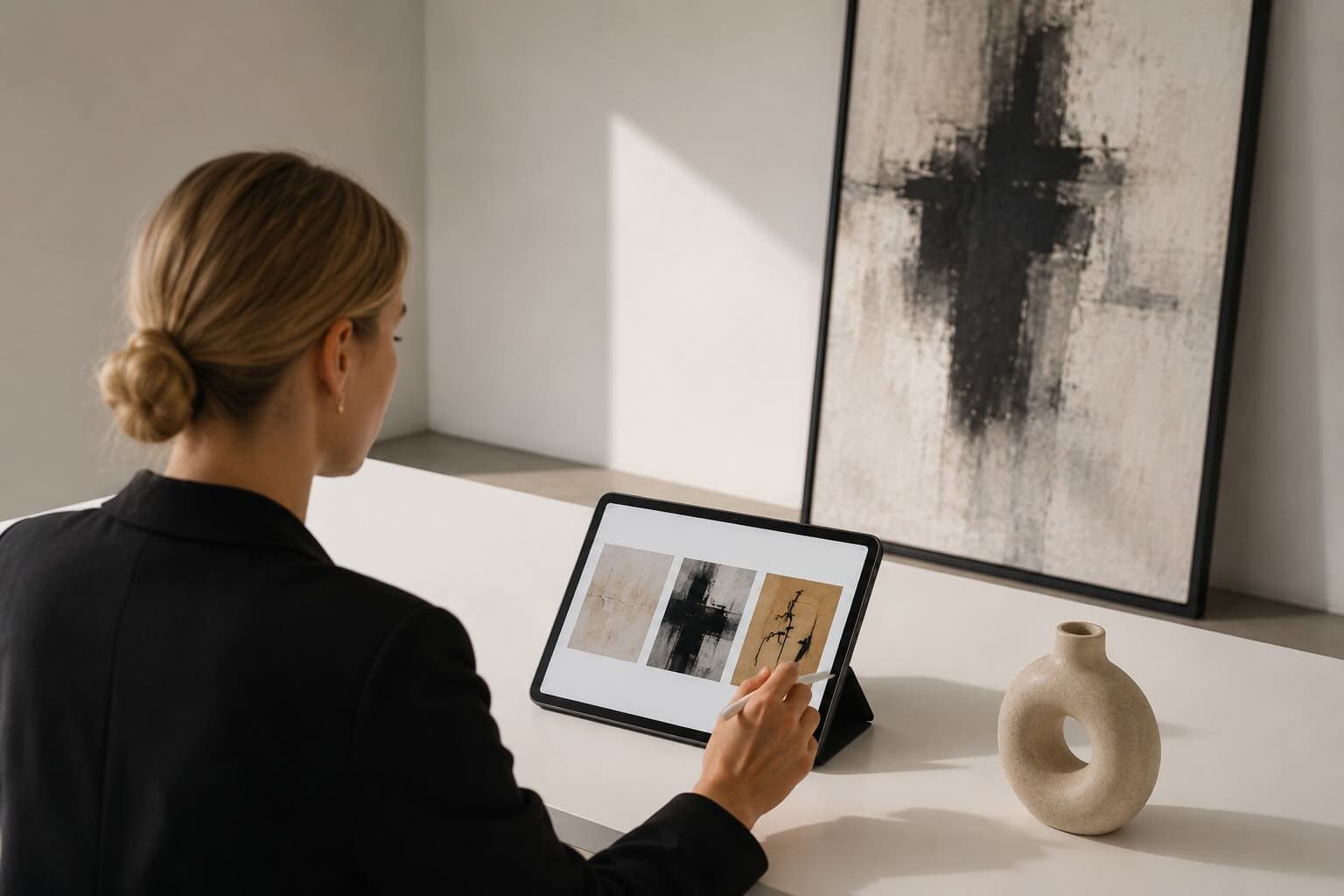
Table of Contents
- I. Build one source-of-truth inventory pack
- II. Produce mockups and reels before launch
- III. Give collectors a private first look
- IV. Use viewing rooms and fair packs from the same files
- V. Run the public Instagram schedule
- VI. Update the website and press materials
- VII. Operate the release after publishing
- FAQ
- Key Takeaways
- Conclusion
I. Build One Source-of-Truth Inventory Pack
The best new-arrivals campaign starts with accurate inventory data, not with Instagram. Before a gallery publishes anything, every work needs a final title, artist name, year, medium, dimensions, framed dimensions, edition details, price status, location, and high-resolution image. That source pack prevents the common release-week failure: beautiful content paired with wrong dimensions, a stale price, or a work that has already been reserved.
Assign one person to own the master release sheet, usually the registrar, gallery manager, or sales coordinator. A marketing manager should pull from that sheet, never from inbox threads or a photographer's delivery folder. Keep a status field for available, on hold, sold, consignor approval pending, and not yet public. That small discipline is what makes a release feel considered to collectors.
Photograph the front of every work square-on, with even light and without reflection. Capture detail crops for textured surfaces, installation views when the work is already hung, and a frame image when the frame is part of the offer. Name files consistently: artist_lastname-title-year-front.jpg, then store the canonical image beside the supporting files. It saves hours when a writer, designer, or sales director asks for a specific work under deadline.
A useful release packet has three layers: collector-facing facts, visual production files, and internal operating notes. The collector layer supplies the checklist copy. The production layer supplies the artwork image used in room mockups and reels. The internal layer tells staff what is negotiable, what is reserved, and who can approve a request. No public channel should be the place where the gallery discovers a work's status.
This is also where the team decides which works get cinematic scale. Pieces about 80cm on at least one side die as grid JPEGs: collectors cannot feel wall presence. Those heroes get luxury interiors, a 10s reel at 30fps plus the 12.5s 24fps remap, and three stills. Smaller SKUs can stay as stills. See art gallery marketing software for the wider stack.
II. Produce Mockups and Reels Before Launch
Create the full visual set before the first collector email goes out. For each 80cm+ arrival, produce the catalogue front, two to three photoreal rooms, and one vertical cinematic reel. Stills answer scale. Motion earns the stop. Together they cover email, viewing room, fair PDF, web, Stories, and Reels without inventing assets on Wednesday.
MOCKLIO starts from the approved artwork image, not a generic lifestyle template. The team selects a room whose lighting, wall color, and architecture support the work, sets plausible scale, then generates the mockup. For social, the same artwork can become a ten-second cinematic room reel. The reel is a presentation asset, not a substitute for documentation, and it should never misrepresent the physical scale or finish of the work.
Build a shot list at the collection level. For a ten-work arrival, designate three hero works, four supporting works, and three catalogue-only works. Hero works receive multiple rooms, a reel, and detail crops. Supporting works receive a clean mockup and inclusion in a carousel. Catalogue-only works still get accurate web imagery. This prevents the team from spending identical effort on every SKU while the campaign lacks an editorial point of view.
Use rooms strategically. A residential interior is useful when a collector needs to understand a painting above a sofa, desk, or bedside table. A restrained gallery wall is useful for a curatorial announcement. A warm dining room might support figurative work, while a minimal concrete interior can clarify a large abstract canvas. Avoid forcing a work into a room because it is fashionable. Matching the collector's likely context is better marketing.
Keep an export folder per release: web, email, Instagram 9:16, fair landscape, press. Add the inventory ID to each filename. Scott Linklater at Artlandish Aboriginal Art Gallery: upload, choose the scene, Mockl.io does the heavy lifting. A backlog of large originals is a batch job, not a shoot. Compare MOCKLIO for galleries, the Artlandish case, and Atelier ($179) or Gallery ($299).
III. Give Collectors a Private First Look
Send the collector preview before the public social launch. The email should go only when the viewing-room page or object URLs are live and a named sales contact can reply the same day. Lead with the arrival thesis, show three to five 80cm+ works hung in interiors, state availability, and give one reply path. Do not attach forty flats.
Do not send a forty-image attachment dump. Collectors need enough visual information to recognize a work worth asking about, then a frictionless way to request the full checklist, price, or viewing. A good preview email has a clear subject line, one hero image or reel thumbnail, three concise artwork blocks, and a single call to action: reply to reserve a viewing, request the full PDF, or speak with a named contact.
Segment where the gallery has reliable context. Past buyers of the artist should receive the preview first. Clients who collect similar media, scale, or price ranges can receive it next. Broader subscribers can receive the public release after the priority window. The segmentation does not need complicated automation. It needs a sales director's judgement and a record of who has already seen what.
Prepare staff for replies before the email lands. Give each contact the checklist PDF, current availability, payment or shipping notes, and alternate works. If a hero work is placed on hold, update the public inventory, the staff channel, and the next social caption together. New-arrivals marketing is a service operation as much as a content operation.
IV. Use Viewing Rooms and Fair Packs From the Same Files
Collector email, online viewing room, and fair booth all pull from one visual pack. The reel and hung stills that went in the preview email are the same files a director walks a client through on a laptop at a fair, and the same files on the passworded viewing-room page. Rebuild them three times and the release fractures.
A viewing room is not a CRM. It is a short, titled set of works with object data, a hang video or still, price or "price on request," and a contact. ArtPlacer-class tools can hold the roster and collector list. MOCKLIO supplies the cinematic hang. Many galleries run both. Do not wait for the fair installer to invent scale for an 80cm+ canvas.
Fair week: export 16:9 hangs for screens at the booth, 9:16 for Stories from the floor, and a one-pager PDF with three hero rooms. Caption the physical booth separately. That is documentary. The CGI hang is how remote advisors who will never walk the aisle still feel wall size. Batch AI up to 100 files if the fair list is long; bulk art reels for galleries covers that path.
V. Run the Public Instagram Schedule
Use Instagram as a sequence, not a single announcement. Start with one cinematic hero reel, then follow with a carousel that supplies title, medium, dimensions, and installation context. During the next five to seven days, publish focused posts around individual works, artist context, material detail, and a final availability reminder. The content should guide attention back to the gallery's site.
A practical schedule is simple. On day one, publish a 9:16 reel with the artist and arrival title in the cover frame. On day two, share a five to eight-slide carousel with room mockups and details. On days three through five, post a supporting work, a detail or framing view, and a Story sequence with the checklist link. On day seven, publish a concise "selected works remain available" post, only if that is true.
Write captions for collectors, not for abstract engagement. The first two lines should identify the artist, work, medium, dimensions, and whether it is available. Add a sentence about the work's visual logic, exhibition history, or place in the artist's practice. End with the actual next step: view works online, request a checklist, or contact the gallery. Save the longer curatorial essay for the website and press text.
Reels are especially useful for the first moment of discovery because camera movement gives a flat artwork an immediate sense of room, light, and proportion. The production workflow is covered in art gallery reels and room mockup video generation. Do not reuse an artist-facing caption unchanged. A gallery caption must distinguish among several artists, locations, and sales contacts.
Stories should handle the operational layer. Use them for a countdown, behind-the-scenes installation, a short poll about a detail, a checklist link, and a saved highlight named New Arrivals. A Story can be less polished than a feed post. It cannot be inaccurate. If a work sells, update the highlight or remove the sales prompt quickly.
VI. Update the Website and Press Materials
The website is the campaign's stable reference point. Before public launch, publish a dedicated new-arrivals module or collection page with images, complete object data, availability, and a contact route. Do not make collectors search an unfiltered artist archive after seeing a Reel. Every social and email link should lead to the exact inventory promised in the post.
Put the strongest mockup near the top of each work page, then show the accurate front image, details, dimensions, and any installation photography. The mockup helps a client imagine placement. The flat image remains the factual reference. This paired structure is also useful for gallery directors presenting works internally, where clarity beats a decorative collage.
Build the press kit from the same source files. Include the release title, dates, artist biography, 100-word arrival note, checklist contact, three to five captioned images, and image-use credit. Keep both web-resolution and publication-resolution files ready. A writer will not wait for a three-day asset request, and a rushed replacement image is often the one that gets published.
For channel planning beyond one release, use the best marketing tools for art galleries guide. MOCKLIO is the visual layer: rooms, cinematic reels, content packs (10s, 12.5s, three stills, carousels, captions). It does not replace inventory software, email, a CMS, or the registrar.
VII. Operate the Release After Publishing
Keep the campaign active after launch by reviewing availability, collector replies, and content performance every day for the first week. The useful signals are not vanity totals alone. Track which works earned checklist requests, which links received qualified clicks, which collectors asked to see alternatives, and whether specific room scenes repeatedly prompted scale questions.
Tag inquiries by artist, work, source channel, and stage. A collector who watched a reel and requested dimensions is not the same as a follower who left a heart emoji. Sales staff need a compact follow-up list with the last contact date and the next action. That is how the marketing team learns whether a release generated real conversations, not merely reach.
Reuse the successful assets after the first week. A room mockup can appear in an artist profile, a collector newsletter, a paid campaign, or an exhibition proposal. A reel can be re-captioned around scale, medium, or a final available work. The release should create a durable visual library, not a one-day social event.
Related Guides
FAQ
How early should a gallery market new arrivals?
Begin production once inventory facts and approved artwork images are final. For a normal arrival, allocate five to ten working days for photography, asset generation, copy, website QA, collector preview, and public scheduling. Do not announce work before the sales team can confirm its price, status, and delivery details.
What assets should every new artwork have?
Every work should have an accurate front image, complete object data, a web-ready crop, and a clear availability status. Priority works should also have a detail crop, one or more photoreal room mockups, and a vertical reel. Use art mockups to create the contextual images without a physical location shoot.
Should galleries send a collector preview before Instagram?
Yes, when the gallery has a list of active collectors and enough staff to handle replies. A private preview rewards existing relationships and lets sales staff answer early questions before public attention arrives. Keep the preview tightly edited and make the full checklist immediately available on request.
Can room mockups replace installation photography?
No. Installation photography documents a real exhibition, while a room mockup helps a collector understand hypothetical placement and scale. Use both when possible. The mockup is marketing context. The installation photo is documentary evidence and often carries more curatorial value.
How should a gallery show 80cm+ works in a collector email?
Hang them. A flat JPEG hides wall size. Put one photoreal interior still or reel thumbnail in the hero block, dimensions in the first line, then a viewing-room or object URL. Artlandish used MOCKLIO because static product photos only go so far for a large original catalogue.
Can the same files feed a fair booth and Instagram?
Yes. Export 16:9 for booth screens and 9:16 for Reels from one job. Keep physical booth photography as documentary. CGI hangs are the remote-scale layer for advisors who will not walk the aisle.
Key Takeaways
- Start with verified object data and a single inventory source of truth.
- Hang 80cm+ works; Artlandish: real-home hang, MOCKLIO does the heavy lifting.
- Collector email, viewing room, and fair pack share one visual set.
- Use a seven-day Instagram sequence, not one isolated announcement.
- MOCKLIO is presentation. Keep CRM / inventory software for the roster.
Conclusion
New-arrivals marketing is a release: inventory, hung 80cm+ visuals, collector email, viewing room, paced Instagram, fair pack, fast follow-through. MOCKLIO builds photoreal rooms and cinematic reels from approved files so the catalogue is coherent without a shoot per SKU. Atelier $179 or Gallery $299. Need more volume? Contact us at contact@mockl.io.
Start a catalogue trial or read the Artlandish case.
- MOCKLIO Team